
LED TV Display Problems: Lines, Flicker and No Picture Explained
Nothing disrupts your entertainment experience quite like sitting down to watch your favorite show only to find strange lines running across your LED TV screen, or worse, a completely black display staring back at you. These frustrating display problems have become increasingly common as LED televisions age, affecting millions of households across India. Whether you notice subtle flickering during dark scenes or dramatic horizontal lines cutting through your picture, understanding what causes these issues can save you both time and money.
Display problems in LED TVs rarely appear without warning. Most homeowners first notice minor symptoms like occasional screen flickering during power surges or faint vertical lines that seem to disappear when you adjust the viewing angle. These early signs often get ignored until the problem worsens, transforming a simple fix into an expensive repair. The good news is that many common LED TV lines on screen issues stem from identifiable causes that professionals can address before complete failure occurs.
The complexity of modern LED television technology means that multiple components work together to create the images you see. When one element fails, it creates a cascade effect that manifests as various display problems. From the delicate backlight system that illuminates your screen to the intricate T-CON board controlling pixel timing, each component plays a crucial role. Understanding this interconnected system helps you communicate effectively with repair technicians and make informed decisions about whether to repair or replace your television.
Indian households face unique challenges when dealing with LED TV screen problem situations. Voltage fluctuations common in many areas can accelerate component degradation, while humidity in coastal regions affects internal circuitry differently than the dry climate of northern states. These environmental factors, combined with the fact that most families use their televisions for 6-8 hours daily, create perfect conditions for wear and tear. Knowing how these local conditions impact your television helps in both prevention and troubleshooting.
This comprehensive guide walks you through the most common LED TV display problems, their root causes, and practical solutions. We cover everything from simple fixes you can attempt yourself to situations requiring professional TV backlight repair services. By the end, you will understand when a problem requires immediate attention, what questions to ask repair technicians, and how to prevent future display issues from disrupting your viewing experience.
Understanding Common LED TV Display Problems
LED television displays can fail in numerous ways, each pointing to different underlying issues within the complex electronic ecosystem. The three most common problems homeowners encounter are lines appearing on the screen, persistent flickering, and complete picture loss despite the television powering on. These issues rarely develop overnight, instead progressing gradually as components degrade or connections loosen over time.
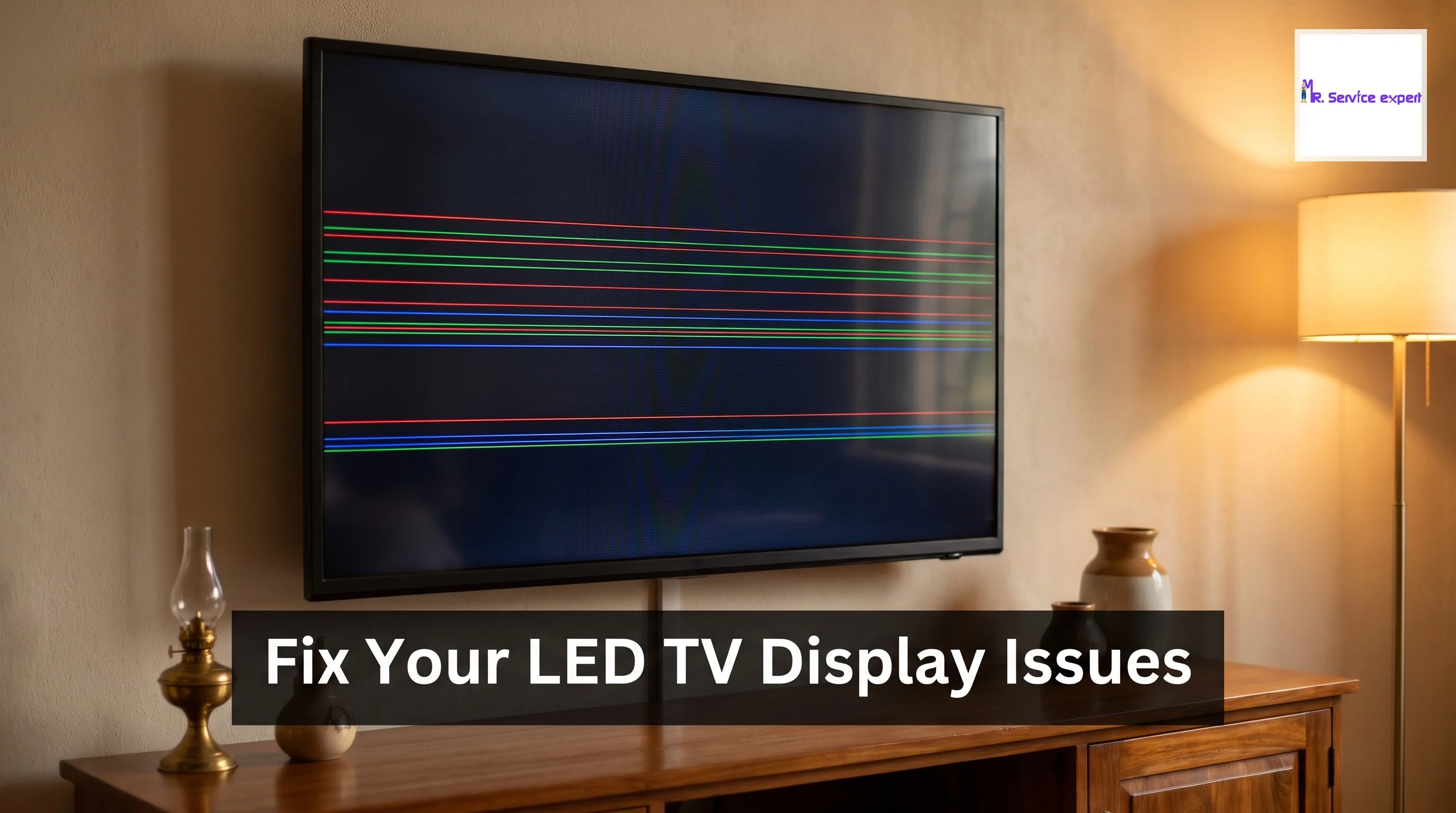
Lines on LED TV screens typically manifest in three distinct patterns: vertical lines, horizontal lines, or a combination creating a grid-like appearance. Vertical lines usually indicate problems with the timing control board or loose ribbon cable connections between the display panel and main circuit board. These lines may appear as thin single threads or thick bands, sometimes changing color from white to black or displaying rainbow patterns. Horizontal lines, conversely, often point to panel failure or issues with the gate driver integrated circuits responsible for controlling horizontal pixel rows.
TV flickering presents differently depending on the root cause. Some televisions exhibit rapid, almost imperceptible flickers that become noticeable during dark scenes or when viewing content with stable backgrounds. Others display dramatic brightness variations that make watching impossible. Backlight-related flickering typically affects the entire screen uniformly, while panel issues may cause flickering in specific zones or quadrants. Power supply problems often create flickering that worsens as the television warms up during use.
The dreaded black screen with sound represents perhaps the most frustrating display problem. Your television powers on, you hear audio clearly, but the screen remains completely dark or shows only a faint image visible when you shine a flashlight on it. This symptom almost always indicates backlight failure, though occasionally it results from inverter board problems or complete panel failure. Distinguishing between these causes requires systematic testing that professionals perform during LED TV repair assessments.
Root Causes Behind Screen Lines and Display Defects
Fixing LED TV display problems starts with identifying the precise component failure causing visible symptoms. The T-CON board, short for timing controller board, ranks among the most common culprits behind line formations on screens. This circuit board receives signals from your television's main board and distributes timing information to individual pixels, ensuring they activate in perfect synchronization. When capacitors on the T-CON board fail or solder joints crack due to thermal cycling, the board sends corrupted signals resulting in persistent lines across your display.
Panel damage represents the most serious cause of display lines and unfortunately the least repairable issue. The LCD panel itself consists of millions of tiny liquid crystal cells arranged in precise grids. Physical impact, excessive pressure, or manufacturing defects can damage these cells or the connections feeding them power and data. Unlike replaceable circuit boards, damaged panels typically require complete television replacement since panel costs approach or exceed the price of new televisions in most cases.
Loose cable connections between various boards inside your television create intermittent display problems that come and go mysteriously. The flat ribbon cables connecting your panel to the T-CON board and main board can work loose over time due to vibration, temperature changes, or simply aging adhesive. These cables carry critical timing and data signals, so even slight disconnection creates visible artifacts. Professional technicians carefully reseat these connections during service calls, often resolving problems without replacing any components.
Environmental factors accelerate display problems significantly in Indian conditions. High humidity levels in cities like Mumbai or Chennai cause oxidation on circuit board traces and connector pins, increasing electrical resistance and creating intermittent failures. Extreme heat in regions experiencing summer temperatures above 45 degrees Celsius stresses capacitors and integrated circuits, shortening their operational life. Voltage spikes during monsoon season damage sensitive power regulation circuits, triggering cascading failures that eventually affect display quality.
TV Backlight Repair: When Your Screen Goes Dark
The backlight system in LED televisions serves as the illumination source making images visible on your screen. Modern LED TVs use arrays of small LED lights arranged either along the edges (edge-lit) or across the entire back surface (direct-lit) of the display panel. These LEDs shine light through layers of diffusion films and the LCD panel itself, creating the bright, vivid images you see. When this backlight system fails, your television may power on and produce sound normally while displaying either complete darkness or extremely faint images barely visible in bright rooms.
TV backlight repair complexity varies dramatically based on your television's design and the specific failure mode. Edge-lit televisions concentrate LEDs in strips along one or more edges of the screen, using light guide plates to distribute illumination evenly. These designs make repairs relatively straightforward since technicians can access LED strips without complete disassembly. Direct-lit systems, offering better uniformity and brightness, require removing the entire LCD panel to access the LED array behind it, significantly increasing repair difficulty and cost.
Common backlight failures include individual LED burnout, power supply issues feeding the LEDs, and inverter board malfunctions controlling LED brightness. When one or more LEDs fail in an edge-lit system, you typically see dark patches or uneven brightness across the screen before complete failure. Power supply problems affect all LEDs simultaneously, creating the classic "sound but no picture" symptom. Inverter failures may cause flickering before eventual blackout or prevent the backlight from achieving full brightness.
Professional TV backlight repair in India typically costs between INR 3,000 to INR 8,000 depending on television size and repair complexity. Smaller televisions under 40 inches generally fall toward the lower end, while 55-inch and larger models require more extensive work. This cost usually includes replacement LED strips or arrays, power supply components if needed, and labor charges. Always request detailed estimates before authorizing repairs, ensuring the quote covers parts, labor, and any diagnostic fees. Services like Mr Service Expert provide transparent pricing and warranty coverage on backlight repairs.
| TV Size | Edge-Lit Repair Cost | Direct-Lit Repair Cost | Average Repair Time |
|---|---|---|---|
| 32-40 inches | INR 3,000-4,500 | INR 5,000-6,500 | 2-3 hours |
| 42-50 inches | INR 4,500-6,000 | INR 6,500-8,500 | 3-4 hours |
| 55-65 inches | INR 6,000-8,000 | INR 8,500-12,000 | 4-6 hours |
| 70+ inches | INR 8,000-12,000 | INR 12,000-18,000 | 6-8 hours |
Diagnosing and Fixing TV Flickering Issues
TV flickering manifests in various forms, each pointing to different underlying problems requiring specific solutions. Rapid flickering occurring several times per second usually stems from backlight driver issues or failing power supply capacitors. Slower brightness pulsations, cycling every few seconds, often indicate software glitches or incompatible picture settings. Intermittent flickering that appears only on certain input sources or apps typically results from HDMI handshake problems or streaming device issues rather than television hardware failure.
Power-related flickering deserves immediate attention as it signals potentially dangerous electrical problems. Inadequate voltage reaching your television causes the entire unit to work harder, stressing components and shortening lifespan. If flickering coincides with other appliances starting up in your home, inadequate household wiring may be the culprit. Installing a voltage stabilizer rated for your television's power consumption provides protection and often eliminates flickering completely. Quality stabilizers cost INR 1,500 to INR 3,500 and represent worthwhile investments for protecting expensive electronics.
Software and firmware issues cause surprising amounts of flickering in modern smart TVs. Manufacturers release updates addressing bugs that create display problems, but sometimes updates themselves introduce new issues. If flickering began immediately after a software update, check manufacturer support forums for similar reports. Many brands allow firmware rollback to previous versions, potentially resolving the problem instantly. Always perform updates during periods when you can tolerate temporary television unavailability in case issues arise.
Eliminating external factors before assuming hardware failure saves unnecessary repair costs. Test different HDMI cables, as damaged cables create intermittent signal dropout appearing as flickering. Try different input sources to isolate whether problems affect all inputs or just specific ones. Disable energy-saving features and motion smoothing settings that sometimes conflict with certain content types. Adjust picture mode settings, particularly backlight and brightness levels, as extreme settings stress components and trigger protective flickering in some models.
Panel Failure vs Repairable Component Issues
Distinguishing between repairable component failures and terminal panel damage determines whether repair makes financial sense or replacement becomes necessary. LCD panels themselves contain millions of individual components working in precise coordination, and damage to the panel structure or pixel matrix almost never justifies repair costs. Component failures affecting boards that control the panel, conversely, often cost a fraction of replacement prices and restore full functionality.
Visual inspection provides strong clues about panel versus component failure. Impact damage creating visible cracks, even hairline fractures, indicates panel failure since cracks propagate over time and affect pixel operation. Dead pixel clusters appearing as permanently black or colored spots, especially if spreading, suggest panel defects. Lines that change appearance when you gently press on the screen bezel indicate loose cable connections, a repairable condition, while lines unaffected by pressure more likely indicate panel damage.
The flashlight test definitively diagnoses backlight versus panel problems. Turn on your television and select an input showing a bright image. Shine a bright flashlight at an angle across different screen areas in a darkened room. If you see faint images where the flashlight illuminates but nowhere else, your backlight has failed but the panel works fine. Complete absence of any image even under direct illumination suggests panel failure. This simple test helps you provide accurate information when scheduling repair appointments.
Cost-benefit analysis guides the repair or replace decision. As a general rule, if repair costs exceed 50 percent of replacement cost for a television over five years old, replacement makes more financial sense. For newer televisions under warranty or premium models with features you value, repairs costing up to 70 percent of replacement prices may be justified. Always request detailed diagnostic reports explaining exactly what failed and why, enabling informed decisions about proceeding with repairs.
Professional Repair vs DIY Solutions
Attempting DIY repairs on LED televisions carries significant risks including electric shock, further damage, and warranty voiding. Modern televisions contain capacitors that store dangerous electrical charges even when unplugged for extended periods. Additionally, the delicate ribbon cables and circuit boards require specialized tools and techniques for safe handling. That said, certain troubleshooting steps and minor fixes fall within capabilities of technically inclined homeowners willing to research proper procedures.
Safe DIY troubleshooting starts with external checks requiring no disassembly. Verify all cable connections seat firmly, trying different HDMI cables and ports to eliminate external factors. Access your television's service menu, usually through specific remote button combinations found in online forums, to run built-in diagnostic tests. These tests often identify specific failing components, providing valuable information for repair professionals even if you choose not to proceed with DIY repairs yourself.
Internal cleaning sometimes resolves mysterious display problems caused by dust accumulation. After unplugging your television and allowing 30 minutes for capacitor discharge, carefully remove the back panel using appropriate screwdrivers. Use compressed air to blow dust from circuit boards, being especially thorough around cooling vents and heat sinks. Never use vacuum cleaners as they generate static electricity that damages sensitive electronics. Reseating cable connections by gently unplugging and reconnecting them sometimes resolves intermittent issues.
Professional repair services bring expertise, proper tools, and warranty coverage that DIY attempts cannot match. Experienced technicians quickly identify problems that might stump even dedicated hobbyists, reducing diagnostic time from hours to minutes. They maintain relationships with parts suppliers, accessing genuine replacement components often unavailable to consumers. Most importantly, reputable services provide warranties covering both parts and labor, protecting you if problems recur. When searching for fixing LED TV display problems near you, prioritize services with established reputations and transparent pricing structures.
Prevention and Maintenance for Long-Term Display Health
Proactive maintenance significantly extends LED television lifespan and prevents many common display problems from developing. Simple habits implemented consistently protect your investment and ensure reliable performance for years beyond typical failure points. Environmental control, proper usage patterns, and regular cleaning form the foundation of effective television maintenance.
Voltage protection ranks as the single most important preventive measure for Indian households. Installing a quality voltage stabilizer prevents damage from the fluctuating power conditions common across the country. During monsoon season when lightning strikes and grid instability peak, consider unplugging your television during storms or when away for extended periods. Surge protectors offer minimal protection compared to dedicated stabilizers, so invest in proper power conditioning equipment rated for your television's specifications.
Proper ventilation prevents heat-related component failures that manifest as display problems. Ensure at least 4-6 inches of clearance around all television sides, allowing unrestricted airflow across ventilation grilles. Avoid enclosing televisions in tight cabinets or placing them near heat sources like radiators or direct sunlight. Excessive heat accelerates capacitor aging and stresses circuit boards, creating failures that appear as lines, flickering, or complete display loss. Ceiling fans or air conditioning that keeps room temperatures below 30 degrees Celsius significantly extends component life.
Regular gentle cleaning prevents dust accumulation that blocks ventilation and creates electrical paths between circuit traces. Monthly, wipe your screen with microfiber cloths slightly dampened with water, avoiding harsh chemicals or excessive moisture. Annually, if comfortable doing so safely, remove the back panel and use compressed air to clear dust from internal components. Pay special attention to cooling vents and areas around heat-generating components for optimal thermal management.