
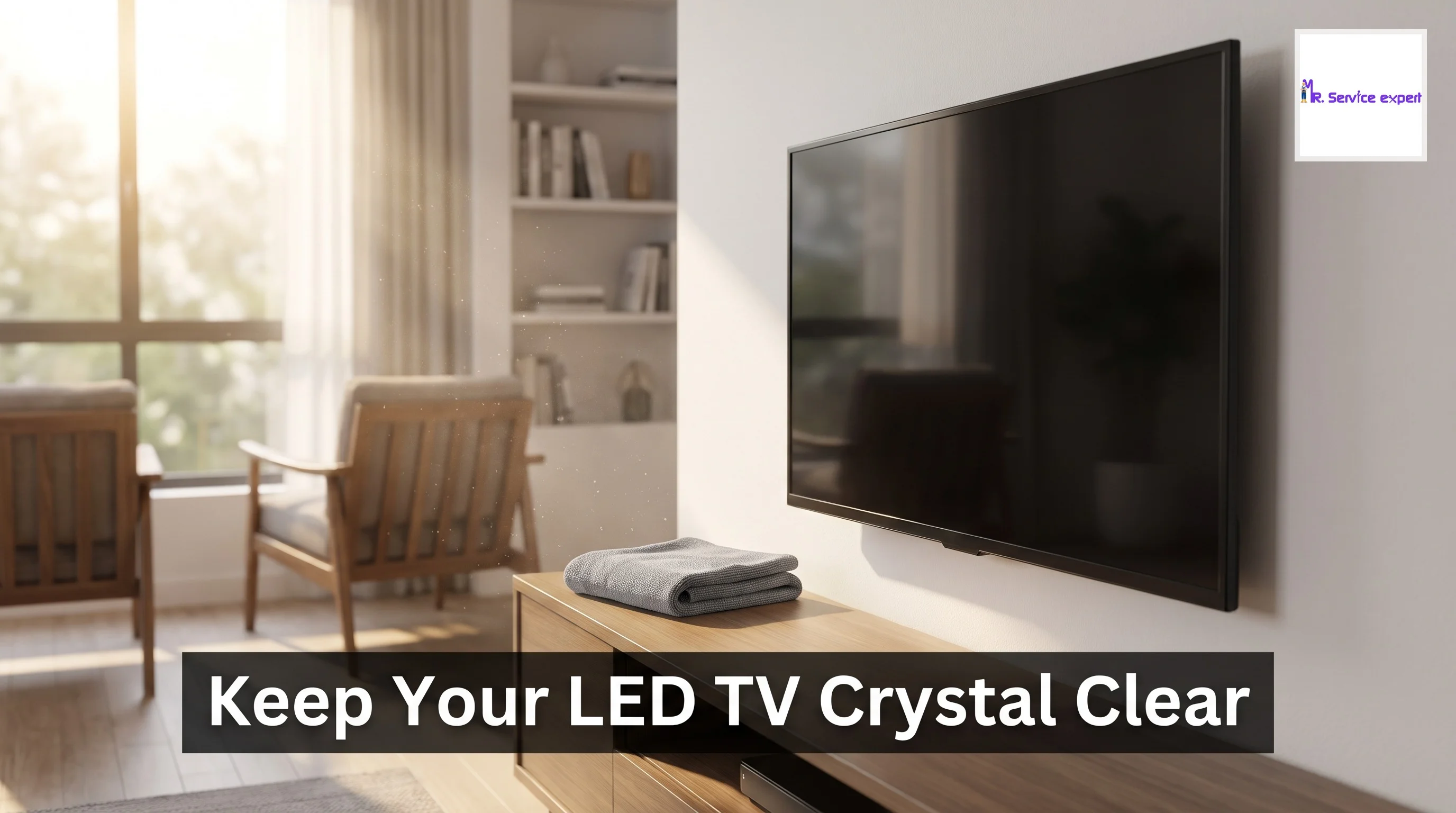
How to Clean and Maintain Your LED TV
Your LED TV is probably one of the most expensive and frequently used appliances in your home. Whether you're binge-watching your favorite shows, streaming the latest movies, or catching up on news, that sleek screen is your window to entertainment. But over time, dust, fingerprints, and grime can accumulate on the display, affecting picture quality and even reducing the lifespan of your television. Proper LED TV cleaning and regular TV maintenance are essential to keep your screen looking crystal clear and functioning optimally for years to come.
Many people don't realize that cleaning an LED TV requires special care. Unlike older television sets, modern LED screens are incredibly delicate and sensitive to harsh chemicals and rough handling. Using the wrong cleaning products or techniques can permanently damage the anti-glare coating, create scratches, or even affect the display's color accuracy. That's why understanding the right approach to LED TV screen care is crucial for every homeowner.
In this comprehensive guide, we'll walk you through everything you need to know about maintaining your LED television. From daily dusting routines to deep cleaning methods, we'll cover the safest and most effective techniques to keep your screen spotless. You'll learn which cleaning solutions are safe to use, which ones to avoid, and how to handle stubborn stains without causing damage. We'll also discuss preventive measures that can reduce the need for frequent cleaning.
Whether you own a basic LED TV or a high-end smart TV, these maintenance tips will help you protect your investment. Regular care not only improves viewing quality but also prevents common issues that might otherwise require professional LED TV service. By following these expert recommendations, you'll ensure your television continues to deliver stunning picture quality while avoiding costly repairs or premature replacement.
Let's dive into the practical steps you can take today to maintain your LED TV like a pro, keeping it in pristine condition for all your entertainment needs.
Understanding Your LED TV Screen
Before you start any LED TV cleaning routine, it's important to understand what you're working with. LED televisions feature highly sensitive screens with special coatings designed to reduce glare and enhance picture quality. These screens are made from delicate materials that can be easily damaged by abrasive materials, excessive pressure, or harsh chemicals. The display panel is the most vulnerable component of your TV, and once damaged, it typically cannot be repaired without replacing the entire screen.
Most LED TVs have an anti-reflective or anti-glare coating on the surface. This coating is what gives your screen its superior viewing experience in various lighting conditions. However, this same coating is extremely susceptible to damage from alcohol-based cleaners, ammonia, acetone, and other harsh solvents commonly found in household cleaning products. When these chemicals come into contact with the screen, they can strip away the protective coating, leaving permanent cloudy patches or discoloration.
The screen surface also attracts dust and static electricity, which is why you might notice it getting dirty more quickly than other surfaces in your home. Understanding this helps you appreciate why regular, gentle cleaning is better than infrequent aggressive scrubbing. The pixel structure underneath the glass is incredibly fine and delicate, making the display vulnerable to pressure damage as well.
Another important aspect to consider is the frame and bezel around your screen. While these are typically more durable than the display itself, they still require appropriate care. Different manufacturers use various materials for bezels, including plastic, metal, and glass. Each material has its own cleaning requirements, though generally, they're more forgiving than the screen itself.
Essential Supplies for LED TV Cleaning
Having the right tools makes LED TV screen care much easier and safer. The most important item in your cleaning arsenal is a microfiber cloth. These ultra-soft cloths are designed to lift dirt and oils without scratching delicate surfaces. You'll want at least two microfiber cloths – one slightly dampened for cleaning and another dry one for buffing. Never use paper towels, regular cloths, or tissues on your LED screen, as these can contain rough fibers that create microscopic scratches.
For cleaning solution, distilled water is your safest bet. Tap water can contain minerals that leave streaks or deposits on your screen. If you need something slightly stronger for stubborn marks, you can create a gentle cleaning solution by mixing equal parts distilled water and white vinegar. However, use this sparingly and never spray it directly onto the screen. Some people prefer commercial screen cleaning solutions specifically designed for LED and LCD displays, which are formulated to be safe for the anti-glare coating.
A can of compressed air is invaluable for removing dust from vents, ports, and hard-to-reach areas around your TV. This prevents dust buildup that can affect your television's cooling system and overall performance. Make sure to use the compressed air in short bursts and maintain a safe distance from the screen to avoid condensation or excessive force.
Keep cotton swabs on hand for cleaning around buttons, logos, and tight spaces where the microfiber cloth cannot reach. These are particularly useful for removing accumulated grime from the edges of the bezel and around connection ports. Additionally, having a soft-bristled brush can help gently sweep away loose dust before you begin the actual cleaning process.
Never use products containing alcohol, ammonia, benzene, or acetone. This includes most window cleaners, all-purpose cleaners, and disinfectant wipes. These chemicals will damage your LED TV's coating and void your warranty. Similarly, avoid any abrasive cleaning pads, rough sponges, or brushes with stiff bristles.
Step-by-Step LED TV Cleaning Process
Proper TV maintenance begins with the right preparation. Before you touch your television screen, always turn it off completely and unplug it from the power outlet. This safety measure protects you from electrical shock and makes it easier to see dust, smudges, and fingerprints on the dark screen. Allow the TV to cool down for at least 15-20 minutes if it's been in use, as cleaning a warm screen can cause streaking and make the process less effective.
Start by gently dusting the screen with a dry microfiber cloth. Use light, circular motions or straight strokes from top to bottom. Never apply pressure while cleaning – let the cloth do the work. The goal here is to remove loose dust particles before introducing any moisture. This prevents turning dust into muddy streaks when you move to wet cleaning. Pay special attention to the corners and edges where dust tends to accumulate.
If dry dusting doesn't remove all the marks, lightly dampen a clean microfiber cloth with distilled water. Wring it out thoroughly so it's barely damp, not wet. Excess water can drip into the edges of the screen or seep behind the bezel, potentially causing electrical damage. Gently wipe the screen using the same light motions, working from top to bottom or in small circular patterns. For stubborn fingerprints or smudges, you can apply slightly more pressure, but still be very gentle.
After cleaning with the damp cloth, immediately dry the screen with a separate dry microfiber cloth. This prevents water spots and ensures a streak-free finish. Work quickly and methodically, following the same pattern you used for cleaning. Don't leave any area damp, as moisture can affect the display over time.
For the frame and stand, you can be slightly less cautious. Wipe these areas with a damp cloth, paying attention to dust buildup on ventilation grilles. Use compressed air to blow dust out of ports and vents. Clean the remote control while you're at it – these often harbor more germs than the TV itself. Use a slightly damp cloth for the plastic surfaces and a cotton swab for between buttons.
Once everything is clean and completely dry, you can plug your TV back in and turn it on. The difference in picture clarity should be immediately noticeable, especially if it's been a while since your last cleaning session.
Cleaning Different Types of Stains and Marks
Different types of marks on your LED TV screen require slightly different approaches. Fingerprints are among the most common problems, especially if you have children or if your TV is a touchscreen model. These oily marks can usually be removed with a lightly dampened microfiber cloth using gentle circular motions. The key is patience – it might take several passes to completely remove the oils without applying excessive pressure.
Dust accumulation is easiest to handle when addressed regularly. A quick dry wipe with a microfiber cloth once or twice a week prevents heavy buildup that requires more intensive cleaning. If you live in a particularly dusty area or near construction sites, you might need to increase this frequency. Some people find that using a slightly dampened cloth picks up dust more effectively than a completely dry one, as the moisture helps trap particles.
For sticky residues from food or drink splatters, never scrape or use your fingernail to remove them. Instead, hold a barely damp microfiber cloth over the spot for 10-15 seconds to soften the residue, then gently wipe in a circular motion. You may need to repeat this process several times. If the residue persists, your diluted vinegar solution can help, but remember to test it on a small, inconspicuous area first.
Water spots or mineral deposits from previous cleaning attempts can be tricky. These appear as white, cloudy areas on the screen and result from using tap water or leaving moisture to air dry. To remove them, use distilled water on your microfiber cloth and wipe the affected area, then immediately dry with a clean cloth. Prevention is easier than cure here – always use distilled water and always dry thoroughly.
Stubborn grease marks might require multiple cleaning sessions. Don't be tempted to use stronger chemicals or apply more pressure. Instead, clean the area gently, allow it to dry completely, then repeat the process. Sometimes what appears to be a persistent stain is actually damage to the screen coating, which cannot be cleaned away. If you suspect this is the case, consulting with an led tv technician is wise.
Screen burn-in or image retention isn't actually dirt and cannot be cleaned away. This occurs when static images remain on screen for extended periods, leaving a ghost image. While modern LED TVs are less susceptible to this than older plasma screens, it can still happen. Prevention through varied content and using screen savers is the only real solution.
Establishing a Regular TV Maintenance Schedule
Creating a routine for TV maintenance helps prevent major cleaning challenges and keeps your television in optimal condition. For most households, a quick dust removal with a dry microfiber cloth once a week is sufficient. This five-minute task prevents dust from accumulating into stubborn layers that require more aggressive cleaning. If your home is particularly dusty or you have pets, consider increasing this to twice weekly.
A more thorough LED TV cleaning with a slightly damp cloth should be performed monthly or whenever you notice visible smudges or fingerprints. This involves the complete process we outlined earlier, including cleaning the frame, stand, and back panel. Mark this on your calendar as part of your regular home maintenance routine, similar to changing air filters or deep cleaning other appliances.
Every three to six months, perform a comprehensive inspection and cleaning of your TV's ventilation system. Dust buildup in vents can cause overheating, which reduces your television's lifespan and can lead to performance issues. Use compressed air to blow out dust from all openings, being careful not to direct the air into the screen area. Check cable connections and clean ports gently with a soft brush or compressed air.
The back panel of your TV often gets neglected but deserves attention too. Dust and cobwebs can accumulate here, especially if your TV is wall-mounted or against a wall. Once every few months, carefully clean this area, ensuring all ventilation areas are clear. This is also a good time to check that all cables are securely connected and not showing signs of wear.
Seasonal deep cleaning is recommended, particularly before or after major festivals when your TV might get extra use. This includes cleaning behind and around the TV stand, organizing cables, and ensuring proper ventilation space around the unit. Many people schedule this during spring cleaning or before the start of major sporting events or festival seasons.
Keep a cleaning log if you want to be thorough. Note when you performed each cleaning task and any issues you noticed. This helps you track whether you need to adjust your cleaning frequency and can be valuable information if you ever need smart tv repair service.
Preventive Measures to Reduce Cleaning Frequency
The best approach to LED TV screen care involves preventing dirt and damage in the first place. Positioning your television away from high-traffic areas reduces the likelihood of accidental touches and fingerprints. If you have young children, establish clear rules about not touching the screen and consider placing the TV at a height that makes casual touching less likely.
Installing your TV away from windows and direct sunlight serves multiple purposes. It reduces glare for better viewing, prevents heat damage from sun exposure, and minimizes dust attraction caused by air currents near windows. If your room layout doesn't allow this, use curtains or blinds to control light exposure, especially during peak sunlight hours.
Proper ventilation around your television prevents overheating and reduces dust circulation. Ensure there's at least 10-15 centimeters of clearance on all sides of your TV, particularly around ventilation vents. Avoid placing your television in enclosed cabinets without proper airflow, as this creates a dust trap and can cause overheating issues that might require intervention from a Smart TV Solution professional.
Using a TV cover when the television isn't in use for extended periods can significantly reduce dust accumulation. This is particularly useful if you travel frequently or have a second TV in a guest room. Choose a breathable fabric cover designed for electronics, ensuring the TV is completely cool before covering it. Never cover a TV immediately after use, as trapped heat can damage internal components.
An air purifier in your TV room can dramatically reduce airborne dust that settles on your screen and other surfaces. This investment pays off not just for your television but for overall indoor air quality. HEPA filters are particularly effective at capturing the fine dust particles that seem to magnetically attract to TV screens.
Controlling humidity in your room helps prevent static electricity buildup, which attracts dust to screens. A dehumidifier in monsoon season or a humidifier during dry winter months keeps humidity levels between 40-60 percent, which is ideal for electronics. This balanced humidity also prevents condensation issues that can damage internal components.
Keep food and drinks away from your TV area. Establishing a no-eating zone around your television prevents spills, splatters, and the sticky fingerprints that often result from snacking while watching. This simple rule can dramatically reduce the frequency of deep cleaning sessions.
Common Mistakes to Avoid During LED TV Cleaning
One of the most damaging mistakes people make is using excessive pressure while cleaning. Your LED TV screen is designed to respond to the gentlest touch, and applying firm pressure can damage pixels, create dead spots, or crack the display layer. If a mark doesn't come off with light pressure, it needs moisture or time to soften, not more force. Patience and proper technique always beat aggressive scrubbing.
Spraying any liquid directly onto your TV screen is asking for trouble. Even with appropriate cleaning solutions, liquid can run down into the edges of the screen, seep behind the bezel, and cause electrical shorts or permanent damage to internal components. Always apply liquid to your cleaning cloth first, and make sure the cloth is only slightly damp, never dripping wet.
Using paper products might seem convenient, but paper towels, toilet paper, and even some tissues contain wood fibers that are abrasive to delicate LED screens. These materials can create microscopic scratches that accumulate over time, giving your screen a hazy appearance and affecting picture quality. The slight texture you feel on paper products can be devastatingly rough for your TV's coating.
Cleaning your TV while it's turned on or still warm is ineffective and potentially dangerous. Aside from the safety concerns, warm screens make it harder to see smudges and can cause cleaning solutions to evaporate too quickly, leaving streaks behind. Always wait until your TV has been off for at least 15-20 minutes before beginning Led Tv Repairing or cleaning tasks.